# Sumi — a calligraphy school written in live ink: brush wet paper, watch a kanji write itself, turn every chapter on a drop
> Paste this whole prompt as one message into a new, empty project.
## 1. Role and goal
You are a senior creative developer and art director. Build, in one pass, the one-page site of [BRAND], a calligraphy school and ink works in Kyoto (founded 1897). The whole page is one sheet of washi paper drawn by a single real-time WebGL canvas, and the ink on it is a real GPU fluid simulation:
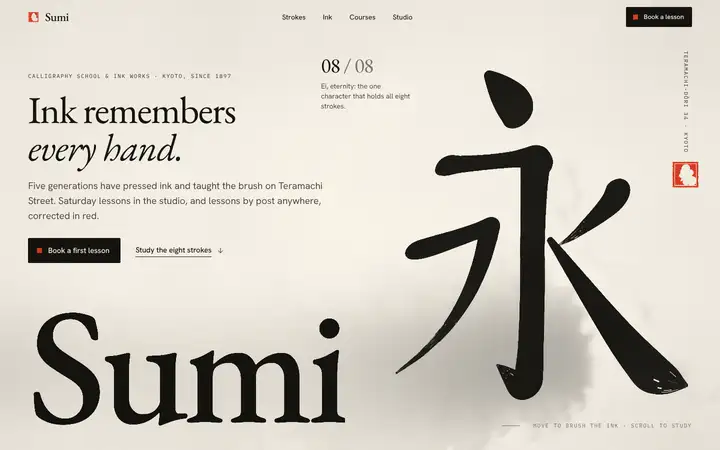
- On the first screen the kanji 永 (ei, "eternity", the character that contains all eight basic brush strokes) writes itself stroke by stroke, in the right stroke order, with wet ink bleeding out of every stroke into the paper. A wash brush then passes over the bottom-left of the sheet and the giant brand name appears in black where the letters drink the ink. A vermilion seal stamps last. The pointer is a brush: it lays pale ink (usuzumi) and pushes the wet ink, so the character smears under it and settles back.
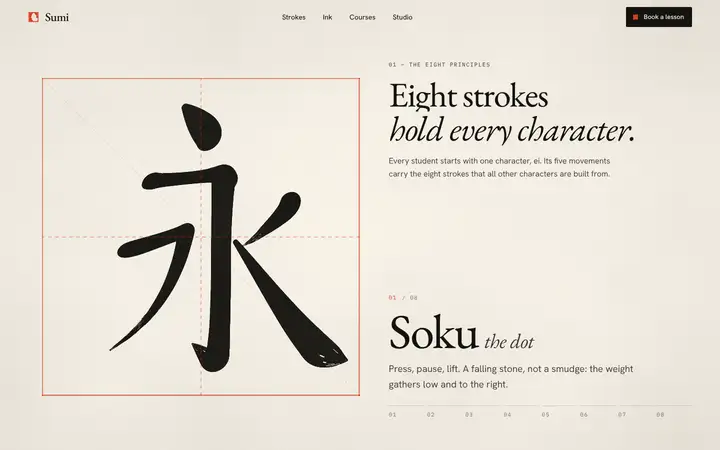
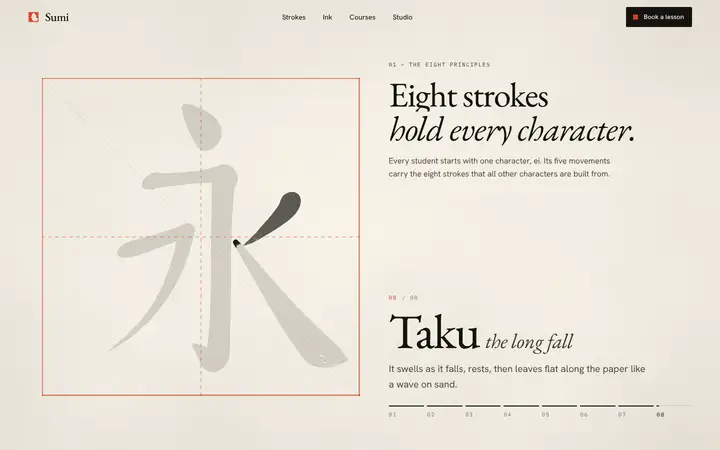
- Scrolling carries the character onto a vermilion practice grid. A pinned chapter studies the eight strokes one at a time: the stroke being studied is re-written in black over a pale ghost of the others while a teacher's vermilion circle is drawn around it. Clicking a stroke on the character jumps to it.
- Chapters do not cut: they turn on a drop. The tail of the last stroke drops ink that blooms across the whole screen and the page becomes ink-black; later a drop of water blooms back to paper; the footer is entered by a last drop. The colours never cross-fade: a bloom is a ragged, fibrous front between paper and ink.
- In the black chapter a real 3D ink stick (pressed soot with gold-leaf lettering, physical material, studio light) turns half a turn for each ink of a horizontal track.
It must read as a real school's site: courses, the teacher, a map, a booking form that answers locally, a footer. Follow the numbers exactly: they are the design.
## 2. Stack and constraints
- Next.js (App Router) with TypeScript and Tailwind CSS v4 (`@import "tailwindcss"`, font tokens in `@theme`, your own rules in `@layer base` / `@layer components`, because CSS outside a layer beats the utilities). `three` with `@react-three/fiber` and `@react-three/drei` (only `Environment` and `Lightformer`). `gsap` with ScrollTrigger and SplitText (both free and included in the `gsap` package). `lenis`. `lucide-react` for four arrows. In a Vite project use the same libraries with React 19.
- Fonts: **EB Garamond** (variable 400 to 800, roman and italic) for display, **Hanken Grotesk** (variable) for text, **IBM Plex Mono** 400 for labels. Load them with `next/font/google` (Latin subset), or self-host the Latin `.woff2` files of `@fontsource-variable/eb-garamond`, `@fontsource-variable/hanken-grotesk` and `@fontsource/ibm-plex-mono` with `@font-face` in a Vite project. The canvas drawings use the same families: wait for `document.fonts.ready` and draw again.
- The scene is one client component imported with `dynamic(() => import("./scene/Scene"), { ssr: false })`: one `<Canvas>`, fixed behind the whole page, `frameloop="never"`, advanced by the page's single ticker.
- No external assets: every visual is generated in code. No image, video, 3D model, HDRI, texture, SVG or icon file. The paper, the character, the ensō, the seal, the swatches, the map, the stick faces and the underline are drawn on 2D canvases. Forbidden because they download files: drei `Environment` with `preset` or `files` (build it from `<Environment resolution={256}>` with `<Lightformer>` children), `useGLTF`, `useTexture` with a URL, drei `<Text>` without a local font, any `<link>` or `@import` to a font or script host.
- No CJK glyph appears in the DOM or in any font: the character is drawn from brush paths (5.1), so nothing depends on a Japanese font being installed.
- One page. Links are in-page anchors scrolled by lenis (`anchors: true`). Footer social links are buttons that do nothing. No `target="_blank"`, no `alert`, no `mailto:`. The forms send nothing. Pinning is allowed; never block or hijack the scroll.
- Files: `content.ts` (every string), `brush.ts` (the stroke data and the canvas painters), `textures.ts`, `store.ts`, `choreo.ts` (the scroll story), `hooks.ts`, `fitText.ts`, `scene/` (`Scene.tsx`, `fluid.ts`, `shaders.ts`, `Stick.tsx`), `sections/` (`Top.tsx`, `Bottom.tsx`), `App.tsx`.
## 3. Design tokens
```css
--paper: #F3EEE3; /* the sheet: page background, text on ink */
--paper-2: #E8E0D0; /* second surface (map paper, swatch paper #EFE8DA) */
--sumi: #15130F; /* ink: text, buttons, every mark of ink on paper */
--ink-2: #3B362F; /* secondary text on paper */
--muted: #7B7368; /* labels and meta on paper */
--ghost: #CDC4B4; /* the unread words of the quote (as 20 % opacity of --sumi) */
--night: #12110F; /* the ink sections */
--night-text: #EEE8DC; /* text on ink */
--night-muted:#9C9286; /* labels on ink */
--accent: #D63A1E; /* shu, vermilion: the seal, the practice grid, the correction circle, seal dots, hover fill of buttons, the active number */
--line: rgba(21, 19, 15, 0.16); /* hairlines on paper */
--line-night: rgba(238, 232, 220, 0.14); /* hairlines on ink */
--nav-fg / --nav-bg: #15130F / #F3EEE3 on paper, #EEE8DC / #12110F on ink (the only colours the scroll animates) */
/* scene only: wet ink on ink (sheen) #3C3833; stick gold leaf #D9B467; ink bodies #191B1E #1D1815 #141925 #231A13; wash tones #2C3440 #3A2E26 #223650 #5A3E26; lamp glow on ink rgb(0.16, 0.11, 0.07) added */
```
`--accent` is a custom property on `:root` and a uniform of the scene (the grid and the circle) and the colour of every seal canvas: change it once and everything vermilion follows.
Type. Display: EB Garamond 420, tracking -0.028em, line-height 0.98; italic second lines at 400, tracking -0.02em. Body: Hanken Grotesk 350, `clamp(0.94rem, 0.9rem + 0.12vw, 1.02rem)` / 1.6. Labels: IBM Plex Mono 400, 0.6875rem / 1.4, uppercase, tracking 0.14em.
Role | Size | Setting
--- | --- | ---
Giant word (hero, footer) | fitted to its container width (see 4) | EB Garamond 500, tracking -0.035em (footer -0.04em), line-height 0.8
Hero headline | `clamp(2.7rem, 1.25rem + 3.9vw, 5.1rem)` | display
Section title (`h2`) | `clamp(2.3rem, 1.1rem + 3.6vw, 4.6rem)` | display, second line italic
Statement | `clamp(2rem, 0.9rem + 3.9vw, 5rem)` | display, centred, second line italic
Principle name | `clamp(3rem, 1.4rem + 5.2vw, 7rem)` | display; its gloss at 0.42em italic in `--ink-2`
Quote | `clamp(1.9rem, 1rem + 2.8vw, 3.9rem)` | display, line-height 1.08
Course name | `clamp(1.75rem, 1.2rem + 1.7vw, 2.9rem)` | display; gloss at 0.5em italic `--muted`
Figures | `clamp(2.4rem, 1.5rem + 2.6vw, 4rem)` | EB Garamond 400, tracking -0.035em, line-height 1
Lead | `clamp(1.02rem, 0.95rem + 0.3vw, 1.2rem)` | Hanken 350, line-height 1.55
Hero counter | 2.6rem | EB Garamond, tabular numbers
Nav brand; links; buttons | 1.5rem; 0.875rem 450; 0.9375rem 500 | EB Garamond 500 tracking -0.02em; Hanken; Hanken
Space: `--pad: clamp(18px, 3.9vw, 64px)` page padding; `--gap: clamp(12px, 1.6vw, 24px)` gutter of a 12-column grid; `--nav: 68px`. Radii: buttons 2px (blocks of ink), chips and small pills 999px, everything else square. No shadows.
Easing vocabulary: **brush** `expo.out` (CSS `cubic-bezier(0.16, 1, 0.3, 1)`) for every arrival and hover, 0.6 to 1.1 s, staggers 0.05 to 0.12 s; **lift** `power2.in` for exits, 0.25 to 0.35 s; **stroke** a quadratic ease-in-out for the brush writing and every scrubbed travel; **bloom** a quadratic ease-in for the radius of a drop (slow to start, then it floods); scrubbed values otherwise linear.
## 4. Layout
- A fixed full-screen canvas (z 0) draws the paper and everything in ink; the page (z 1) is transparent over it, so every section background is the shader's paper or the shader's ink. The navigation is fixed (z 20), 68px high, transparent: brand (a 22px seal canvas and the name) left, four links centred, a small ink button right. Its colours are `--nav-fg` / `--nav-bg`, tweened in 0.35 s `power2.out` when the point (50 % width, 34px) enters or leaves ink.
- Copy never slides under the navigation: every text block marked as guarded fades to 0 while its top travels from 140px to 40px (written only when the value changes).
- Desktop (≥ 821px) uses the 12-column grid with asymmetric splits: hero copy over 5 columns and the character over the right 7; strokes 6 / 6; the ink works 4 / 8; courses 4 / 8; teacher 5 / 6 (starting at 7); visit 7 / 4 (starting at 9).
- The giant word is fitted with `useFitText`: measure the line at 100px, set `font-size = 100 × containerWidth / naturalWidth`, again on resize and when fonts load. It is a transparent DOM span (its rect places the WebGL word, its text is the source of the word texture) that becomes visible ink only without WebGL or with reduced motion.
- Total page length about 9.8 screens on desktop: hero 1, strokes 1 + 1.75 pinned, the ink 1 + 1.15 pinned, courses ≈ 1.2, teacher ≈ 0.9, visit ≈ 1.2, footer ≈ 0.8.
## 5. Sections
### 5.1 The scene
One fixed canvas behind the page, `<Canvas frameloop="never" dpr={[1, 1.75]} gl={{ antialias: false, alpha: false }} camera={{ fov: 30, position: [0, 0, 10] }}>`, tone mapping ACES Filmic at exposure 1.05 (it only affects the 3D stick: the paper is a raw shader). One `useFrame(…, 1)` does all the drawing in this order: queued splats, one fluid step, the stain, then the composite into the screen, then the 3D scene on top (only while the stick is visible), with `gl.autoClear = false`.
**The page tells the scene where things are.** A shared mutable `store` holds, in CSS pixels of the viewport: the character's square (`kanji.x, y, size`), the eight segment states (`prog`, `full`, `ghost`), the brand word's rect and font metrics, the ensō's square and progress, the correction circle, the grid opacity, two ink regions with their blooms, the stick's centre and height, the lamp glow, and a queue of splats. The choreography (section 6) fills it every frame from DOM placeholders, so the WebGL marks always sit exactly on the layout.
**The paper canvas** (1024², repeat-wrapped, painted once): mid grey; 1,400 light kozo fibres (quadratic curves 30 to 180px, width 0.5 to 1.9px, white at 8 to 30 %) and 90 dark bark specks (rgba(40,30,20,0.08–0.28)), each drawn at the nine tile offsets so the tile wraps; ±11 of grain on R. G holds slow clouds (tileable value noise, 4 / 8 / 16 cells weighted 0.55 / 0.3 / 0.15), B a ragged mid noise (16 / 32 / 64 cells, 0.5 / 0.3 / 0.2) used for every ink front. The composite samples it at `px / 900` (and B again at `px / 1400` for blooms): no fractal noise is computed per pixel.
**The character** 永 is not a font. It is eight segments, one per principle, each a list of `[x, y, r]` points in a 1000 box (the data is in the reference code), transformed by `x' = 36 + 0.93x`, `y' = 40 + 0.97y`, `r' = 1.38r`. A segment is sampled as a Catmull-Rom curve every 0.8 units and stamped with an ellipse of radii `r` and `0.8r` turned −0.72 rad (a brush held at a fixed angle gives thick and thin by direction). Three segments end dry (kasure): from their dry point (0.55 hook, 0.45 sweep, 0.5 peck, 0.82 long fall) sixteen bristle lines run along the path and break where a value noise falls under the dryness. It is painted into a 1280² canvas encoded for the shader: R coverage (with the dry gaps), G `id × 32 + 16`, B arc length × 255, the G/B pass painted 3px wider so every inked pixel carries its exact stroke. The texture is uploaded twice: linear with mipmaps (coverage) and nearest (id and arc).
**The fluid** (stable fluids on half-float RGBA targets, linear filtering, clamp to edge): velocity, pressure, divergence and curl on a grid of 112 cells on the short side; ink on a grid of 320 cells on the short side, R = dense ink (strokes, drops), G = pale ink (the pointer's usuzumi). Each frame: curl, vorticity confinement (strength 8), divergence, pressure ×0.8, 14 Jacobi iterations, gradient subtraction, advect velocity (dissipation 2.2/s: the paper soaks the motion up quickly), advect ink (dissipation 0.32/s dense, 0.3/s pale). Advection adds the scroll: the ink moves with the paper (`shift = −Δscroll / vh` in uv), except while a section is pinned. A splat is a Gaussian along a segment (a capsule, so a fast pointer leaves a continuous line): velocity adds with radius² × 4.5, ink combines like layers of wash, `1 − (1 − ink)(1 − amount)`, never above 1.
**The brush** (pointer, mouse and pen only): every frame the pointer moved, one splat from its last to its new position: radius `clamp(20 − 0.006 v, 8, 20)` px, pale ink `clamp(0.48 − 0.00012 v, 0.22, 0.48)`, force = pointer velocity × `min(1, 1500 / v)` (v in px/s). Slow strokes are wide and wet, fast ones thin and dry. The character is drawn displaced by the local flow (`velocity × 0.016 s`, at most 26px), so the brush drags its wet strokes and they settle back as the flow dies: the ink remembers.
**The intro writing**: while segment i is written, a tip follows its path (eased in-out); each frame a dense splat (0.15, radius 0.95 × the brush radius there, force 0.08 × tip velocity) joins the last tip to the new one, so wet ink bleeds out around each stroke as it is laid. The crisp stroke is revealed by `prog[i]`.
**The word drinks the wash.** The brand word is painted white on a transparent canvas (2048px wide, the aspect of its DOM rect) with the same font, size and letter spacing as its fitted DOM span, baseline at `(H − (ascent + descent)) / 2 + ascent` from the font bounding box, so the WebGL word sits exactly on the span. A stain buffer (512 × 160, in the word's own space so it scrolls with it) keeps `max(stain, smoothstep(0.012, 0.09, R + 0.8 G))` of the ink under each letter. From 1.15 s to 2.35 s a wash brush crosses the word from −6 % to 106 % of its width at 52 % of its height (+5 % × sin 8e), radius 0.56 × the word height, pale 0.11, pushing right: the letters appear in black where it passes while the pale wash around them fades. When the brand changes, the stain is cleared and the wash runs again.
**The composite** (one full-screen pass, values are sRGB): paper `#F3EEE3 × (0.962 + 0.085 tile + 0.05 (cloud − 0.5))`; ink sections `#12110F × (0.86 + 0.32 tile + 0.2 (cloud − 0.5))` plus a warm lamp `rgb(0.16, 0.11, 0.07) × exp(−(d / r)²)` behind the stick. Ink regions: two rects (the ink chapter, the footer), each with a ragged top and bottom edge (`22 sin(0.0061 x) + 10 sin(0.0173 x + 0.2 t) + 40 (B − 0.5)` px), an entry bloom that may spill above the rect, and an exit bloom of water that cuts the region back to paper. A bloom is a circle whose edge is `R (1 + 0.2 (n(dir × 2.2) − 0.5) + 0.12 (n(dir × 6) − 0.5)) + (B − 0.5) × min(R, 600) × 0.5 + 9 × fibre`, with `n` a value noise of the direction (seamless): a 2.4px front, a 34px wet grey halo ahead of the ink (paper × 0.86 at 60 %), and for water a 12px tide line inside its edge (× 0.7). Then the marks, combined as `1 − Π(1 − a)`: dense ink `smoothstep(0.035, 0.8, R (1 + 0.5 fibre))`, pale ink `smoothstep(0.015, 0.85, G) × 0.5`, the character `smoothstep(0.22, 0.72, coverage + 0.22 fibre) × mix(ghost, full[id], written) × (0.92 + 0.08 cloud)` with `written = smoothstep(1.03 prog + 0.006, 1.03 prog − 0.01, arc)`, the word, the ensō (same rule). Ink on paper is `#15130F`; on the ink sections it becomes a wet sheen `#3C3833` at 55 %, so the swallowed character still glints. Vermilion last: the practice grid (outer frame at 55 %, a dashed centre cross at 38 % and dashed diagonals at 22 %, dashes 14px, 1.1px lines) and the correction circle: a ring of radius `R (1 + 0.035 sin(2τt + 1.3) + 0.08 t)` that starts at −2.2 rad, thins from 3.6px to 1.1px and overshoots its start like a hand-drawn circle. A 7 % vignette and ±0.6 % grain finish it.
**The ink stick** (only in the ink chapter): an `ExtrudeGeometry` of a rounded rectangle 0.56 × 2.4 (corner 0.05), depth 0.16, bevel 0.022 / 0.018 in 3 segments, centred. Its two lids are split into two material groups so each face can show a different ink (the back's uv is mirrored). Faces: `MeshPhysicalMaterial` with a 512 × 2194 canvas map (the ink's body colour with soot specks, a 7px and a 2.5px gold frame, three gold cloud spirals, the name in EB Garamond 600 capitals stacked vertically, the gloss, `KYOTO`, `No. 0n`) and a twin data canvas used as roughness, metalness and bump map (gold: relief 255, roughness 0.25, metal 1; soot: relief 70, roughness 0.7, metal 0), bump scale 1.6, clearcoat 0.35 / 0.4. Sides: the body colour, roughness 0.58, clearcoat 0.25. Light: `<Environment resolution={256} frames={1}>` with four Lightformers (a warm top box 10 × 4 at intensity 2.2, a white left strip 1.2 × 9 at 4, a warm right strip 1.6 × 9 at 2.6, a faint blue back panel at 0.6), a key directional light `#fff0da` 1.6 from (3, 4, 6), ambient 0.15. It stands in `#stick-box`: world units per pixel `2 · 10 · tan(15°) / vh`, scaled so it is the box's height, tilted −0.12 rad and rolled 0.16 rad, swaying `0.2 sin(0.6 t)` and leaning to the pointer (0.5 rad yaw, 0.3 rad pitch, 0.12 rad roll per unit of pointer offset, eased with `1 − e^(−5 dt)`).
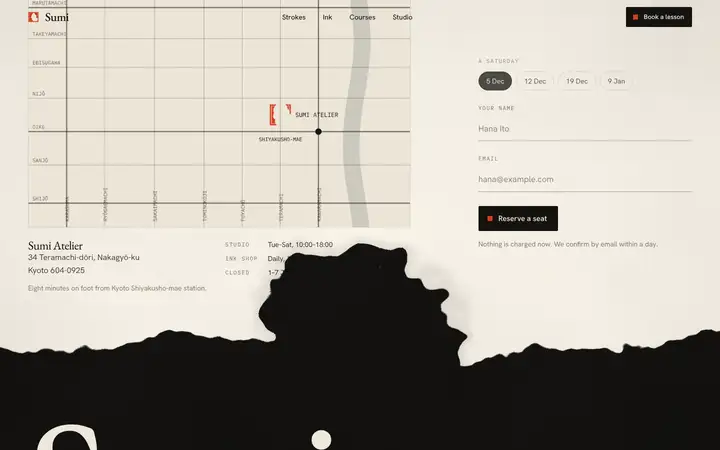
**The other canvases** (2D, painted once, again when the accent or the brand changes): the seal (a vermilion square with a jittered worn edge, inset 6 %, a carved inner frame and the same eight segments carved out in white at 60 % of its size, 260 random specks knocked out like stone grain); the swatch of each ink (paper `#EFE8DA`, five wet dabs at 100, 62, 38, 20 and 9 % of the ink's wash tone, each a noisy blob with a 2.2px rim 12 % darker and its percentage in IBM Plex Mono, and one dry horizontal stroke in the tone, its bristle gaps erased); the map (paper `#ECE5D7`, the Kamo river as a 42px grey band, seven north–south and seven east–west streets as 1.4px lines with the major ones at 3px, names in rotated mono capitals, a dot for the station, the seal and `[BRAND] ATELIER` on Teramachi between Oike and Nijō); the course underline (one dry stroke, 1200 × 60). `textures.ts` caches the shared ones: `kanjiCanvas()` (`paintKanji(1280)`) with its `ImageData` for the hit test of strokes (`segmentAt`), `ensoCanvas()` (`paintEnso(1024)`) and `paperCanvas()`.
**Fallback canvases**: without WebGL (and, in the strokes chapter, with reduced motion) the character is its coverage channel painted in `#15130F` into a canvas filling its placeholder; the ensō likewise.
#### Reference code
Use this code as written; adapt only imports and file layout to the project. `store` is the shared mutable object described above (plain numbers and arrays, filled by the page every frame).
`brush.ts (stroke data, sampling, stamping, encoding)`
```ts
/**
* The brush: the character ei (eternity) as eight segments, one per principle of the brush, and the 2D-canvas
* painters that turn brush paths into textures (the encoded kanji, the ensō, the seal, swatches, the map).
*
* A segment is a list of [x, y, r] in a 1000 x 1000 box (y down): r is the half-width of the brush there.
* The path is a Catmull-Rom curve through the points; the brush is an ellipse at a fixed angle, stamped
* every 0.8 units, so thick and thin come from the direction of travel, as with a real brush held still.
*/
export type Pt = [number, number, number];
export type Seg = { pts: Pt[]; dry?: number };
/** Stroke order of ei: 1 dot; 2 horizontal, vertical, hook; 3 rising, long sweep; 4 peck; 5 long fall. */
export const KANJI: Seg[] = [
{ pts: [[446, 52, 9], [466, 72, 19], [490, 98, 29], [512, 124, 35], [524, 148, 33], [516, 166, 22], [500, 172, 10]] },
{ pts: [[316, 302, 13], [334, 293, 21], [366, 290, 18], [440, 284, 16], [508, 277, 17], [548, 272, 21], [572, 276, 29], [582, 292, 31]] },
{ pts: [[576, 296, 30], [572, 360, 27], [568, 480, 25], [567, 620, 25], [563, 760, 26], [557, 846, 29]] },
{ pts: [[557, 846, 29], [552, 874, 30], [534, 876, 25], [510, 856, 17], [488, 836, 9], [470, 822, 2]], dry: 0.55 },
{ pts: [[228, 524, 9], [246, 518, 19], [288, 507, 21], [350, 488, 19], [410, 468, 18], [448, 456, 21]] },
{ pts: [[448, 458, 22], [442, 492, 20], [422, 560, 18], [386, 640, 15], [332, 720, 11], [262, 790, 7], [192, 842, 2.5]], dry: 0.45 },
{ pts: [[786, 350, 10], [802, 360, 25], [792, 384, 26], [760, 416, 21], [716, 452, 14], [674, 484, 7], [640, 504, 2]], dry: 0.5 },
{ pts: [[616, 490, 6], [648, 532, 10], [700, 602, 16], [760, 682, 23], [820, 758, 30], [868, 812, 35], [902, 846, 37], [936, 862, 29], [968, 871, 15], [994, 876, 3]], dry: 0.82 },
];
/** Which lift of the brush each segment belongs to (segments of one stroke are written without a pause). */
export const STROKE_OF = [0, 1, 1, 1, 2, 2, 3, 4];
/** Writing time of each segment in seconds (intro). */
export const SEG_TIME = [0.2, 0.2, 0.28, 0.1, 0.13, 0.28, 0.15, 0.34];
/** brush weight multiplier and the box transform that centres the character */
const WEIGHT = 1.38;
const fit = (p: Pt): Pt => [36 + p[0] * 0.93, 40 + p[1] * 0.97, p[2] * WEIGHT];
export type Sample = { x: number; y: number; r: number; s: number; a: number };
/** Samples a segment into stamps: position, radius, arc length 0..1 and direction (radians). */
export function sample(seg: Seg, step = 0.8, transform: (p: Pt) => Pt = fit): Sample[] {
const p = seg.pts.map(transform);
const raw: { x: number; y: number; r: number }[] = [];
for (let i = 0; i < p.length - 1; i++) {
const p0 = p[Math.max(0, i - 1)], p1 = p[i], p2 = p[i + 1], p3 = p[Math.min(p.length - 1, i + 2)];
const len = Math.hypot(p2[0] - p1[0], p2[1] - p1[1]);
const n = Math.max(2, Math.ceil(len / step));
for (let k = 0; k < n; k++) {
const t = k / n, t2 = t * t, t3 = t2 * t;
const cr = (a: number, b: number, c: number, d: number) => 0.5 * (2 * b + (-a + c) * t + (2 * a - 5 * b + 4 * c - d) * t2 + (-a + 3 * b - 3 * c + d) * t3);
raw.push({ x: cr(p0[0], p1[0], p2[0], p3[0]), y: cr(p0[1], p1[1], p2[1], p3[1]), r: Math.max(0.5, cr(p0[2], p1[2], p2[2], p3[2])) });
}
}
const last = p[p.length - 1];
raw.push({ x: last[0], y: last[1], r: last[2] });
let total = 0;
const lens = [0];
for (let i = 1; i < raw.length; i++) {
total += Math.hypot(raw[i].x - raw[i - 1].x, raw[i].y - raw[i - 1].y);
lens.push(total);
}
return raw.map((q, i) => {
const j = Math.min(raw.length - 1, i + 1), h = Math.max(0, i - 1);
return { ...q, s: total ? lens[i] / total : 0, a: Math.atan2(raw[j].y - raw[h].y, raw[j].x - raw[h].x) };
});
}
export const KANJI_SAMPLES = KANJI.map((s) => sample(s));
/** Point on a segment at arc length s (0..1), in box units, for the brush tip of the intro. */
export function tipAt(seg: number, s: number) {
const list = KANJI_SAMPLES[seg];
const i = Math.min(list.length - 1, Math.max(0, Math.round(s * (list.length - 1))));
return list[i];
}
/** Centre and radius (box units) of each segment, for the vermilion correction circle. */
export const SEG_BOUNDS = KANJI_SAMPLES.map((list) => {
let x0 = 1e9, y0 = 1e9, x1 = -1e9, y1 = -1e9;
for (const q of list) {
x0 = Math.min(x0, q.x - q.r); y0 = Math.min(y0, q.y - q.r);
x1 = Math.max(x1, q.x + q.r); y1 = Math.max(y1, q.y + q.r);
}
return { x: (x0 + x1) / 2, y: (y0 + y1) / 2, r: Math.max(70, Math.hypot(x1 - x0, y1 - y0) * 0.56) };
});
// a small deterministic noise for bristles
const hash = (n: number) => {
const s = Math.sin(n * 127.1 + 311.7) * 43758.5453;
return s - Math.floor(s);
};
const vnoise = (x: number, seed: number) => {
const i = Math.floor(x), f = x - i, u = f * f * (3 - 2 * f);
return hash(i + seed * 57) * (1 - u) + hash(i + 1 + seed * 57) * u;
};
/**
* Paints samples onto a 2D context. `fill(id, s)` gives the colour of a stamp; the dry brush (kasure) at the end of a
* segment is painted as black bristle gaps, which lower the coverage without changing the encoded ratios.
*/
export function stamp(g: CanvasRenderingContext2D, list: Sample[], scale: number, fill: (s: number) => string, dry = 0, seed = 1, aspect = 0.8, angle = -0.72, erase = false) {
for (const q of list) {
g.fillStyle = fill(q.s);
g.beginPath();
g.ellipse(q.x * scale, q.y * scale, q.r * scale, q.r * scale * aspect, angle, 0, Math.PI * 2);
g.fill();
}
if (!dry) return;
const mode = g.globalCompositeOperation;
if (erase) g.globalCompositeOperation = "destination-out";
const N = 16;
for (let j = 0; j < N; j++) {
const off = (j / (N - 1)) * 2 - 1 + (hash(j + seed) - 0.5) * 0.08;
g.strokeStyle = `rgba(0,0,0,${0.55 + 0.4 * hash(j * 3 + seed)})`;
g.lineCap = "round";
let drawing = false;
for (let i = 0; i < list.length; i += 2) {
const q = list[i];
const dryness = Math.max(0, (q.s - dry) / (1 - dry));
const gap = vnoise(q.s * 26 + j * 3.1, j + seed) < dryness * 0.95 - Math.abs(off) * 0.15 && Math.abs(off) < 0.97;
const nx = -Math.sin(q.a), ny = Math.cos(q.a);
const x = (q.x + nx * off * q.r * 0.92) * scale, y = (q.y + ny * off * q.r * 0.92) * scale;
if (gap) {
g.lineWidth = Math.max(0.6, ((q.r * 2) / N) * 0.75 * scale);
if (!drawing) {
g.beginPath();
g.moveTo(x, y);
drawing = true;
} else g.lineTo(x, y);
} else if (drawing) {
g.stroke();
drawing = false;
}
}
if (drawing) g.stroke();
}
g.globalCompositeOperation = mode;
}
/**
* Encoded textures of brush paths: R = coverage (anti-aliased, with the dry-brush gaps), G = segment id x 32 + 16,
* B = arc length x 255. G and B come from a second pass painted 3px wider and without gaps, so every pixel that
* has any coverage carries the exact id and arc of its stroke (the edge never mixes two strokes).
*/
function encode(paths: { list: Sample[]; dry: number }[], size: number, scale: number, aspect = 0.8) {
const cov = document.createElement("canvas");
cov.width = cov.height = size;
const gc = cov.getContext("2d", { willReadFrequently: true })!;
gc.fillStyle = "#000";
gc.fillRect(0, 0, size, size);
const enc = document.createElement("canvas");
enc.width = enc.height = size;
const ge = enc.getContext("2d", { willReadFrequently: true })!;
ge.fillStyle = "#000";
ge.fillRect(0, 0, size, size);
paths.forEach(({ list, dry }, id) => {
stamp(gc, list, scale, () => "#fff", dry, id * 7 + 3, aspect);
const wide = list.map((q) => ({ ...q, r: q.r + 3 / scale }));
stamp(ge, wide, scale, (s) => `rgb(${id * 32 + 16},${Math.round(s * 255)},0)`, 0, 1, aspect);
});
const a = gc.getImageData(0, 0, size, size), b = ge.getImageData(0, 0, size, size);
for (let i = 0; i < a.data.length; i += 4) {
a.data[i + 1] = b.data[i];
a.data[i + 2] = b.data[i + 1];
}
gc.putImageData(a, 0, 0);
return cov;
}
/** The character: eight segments, encoded (see encode). */
export function paintKanji(size = 1280) {
return encode(KANJI_SAMPLES.map((list, id) => ({ list, dry: KANJI[id].dry ?? 0 })), size, size / 1000);
}
/** Segment under a point of the kanji texture (u, v in 0..1, v down), or -1. */
export function segmentAt(data: ImageData, u: number, v: number) {
const x = Math.floor(u * data.width), y = Math.floor(v * data.height);
if (x < 0 || y < 0 || x >= data.width || y >= data.height) return -1;
// a small search radius makes thin strokes easy to touch
for (const [dx, dy] of [[0, 0], [6, 0], [-6, 0], [0, 6], [0, -6], [12, 0], [-12, 0], [0, 12], [0, -12]]) {
const xx = Math.min(data.width - 1, Math.max(0, x + dx)), yy = Math.min(data.height - 1, Math.max(0, y + dy));
const i = (yy * data.width + xx) * 4;
if (data.data[i] > 90) return Math.min(7, Math.floor(data.data[i + 1] / 32));
}
return -1;
}
/** The ensō: one circle in one breath, encoded like the kanji (R coverage, B arc). */
export function paintEnso(size = 1024) {
const pts: Pt[] = [];
const a0 = (150 * Math.PI) / 180, sweep = (322 * Math.PI) / 180;
const n = 26;
for (let i = 0; i <= n; i++) {
const t = i / n;
const a = a0 + sweep * t;
const R = 372 * (1 + 0.035 * Math.sin(t * 5.3 + 0.6) - 0.05 * t);
const w = i === 0 ? 14 : 44 - 10 * t + 9 * Math.sin(t * 7.1) * (1 - t) - (t > 0.9 ? (t - 0.9) * 180 : 0);
pts.push([500 + Math.cos(a) * R, 500 + Math.sin(a) * R, Math.max(3, w)]);
}
const list = sample({ pts }, 0.8, (p) => p);
return encode([{ list, dry: 0.55 }], size, size / 1000, 0.84);
}
```
`scene/fluid.ts`
```ts
/**
* Ink on wet paper: a stable-fluids solver on the GPU (semi-Lagrangian advection, vorticity confinement,
* 16 Jacobi pressure iterations) carrying two inks: R = dense ink (the written strokes, the drops),
* G = pale ink, usuzumi (the pointer brush). A third buffer, in the space of the brand word, keeps
* the ink that the letters have drunk.
*/
import * as THREE from "three";
const vert = /* glsl */ `
varying vec2 vUv;
varying vec2 vL; varying vec2 vR; varying vec2 vT; varying vec2 vB;
uniform vec2 texel;
void main() {
vUv = uv;
vL = vUv - vec2(texel.x, 0.0); vR = vUv + vec2(texel.x, 0.0);
vT = vUv + vec2(0.0, texel.y); vB = vUv - vec2(0.0, texel.y);
gl_Position = vec4(position.xy, 0.0, 1.0);
}`;
const SPLAT = /* glsl */ `
uniform sampler2D target; uniform vec2 a; uniform vec2 b; uniform float aspect; uniform float radius;
uniform vec3 value; uniform float mode; varying vec2 vUv;
float seg(vec2 p, vec2 a, vec2 b) { vec2 pa = p - a, ba = b - a; float h = clamp(dot(pa, ba) / max(dot(ba, ba), 1e-9), 0.0, 1.0); return length(pa - ba * h); }
void main() {
vec2 s = vec2(aspect, 1.0);
float d = seg(vUv * s, a * s, b * s);
float k = exp(-d * d / radius);
vec4 base = texture2D(target, vUv);
// velocity adds; ink combines like layers of wash (never above 1)
if (mode < 0.5) gl_FragColor = vec4(base.xy + value.xy * k, 0.0, 1.0);
else gl_FragColor = vec4(1.0 - (1.0 - base.rg) * (1.0 - clamp(value.rg * k, 0.0, 1.0)), 0.0, 1.0);
}`;
const ADVECT = /* glsl */ `
uniform sampler2D velocity; uniform sampler2D source; uniform vec2 simTexel; uniform float dt;
uniform vec2 dissipation; uniform vec2 shift; varying vec2 vUv;
void main() {
vec2 coord = vUv - dt * texture2D(velocity, vUv).xy * simTexel + shift;
vec4 r = texture2D(source, coord);
float edge = step(0.0, coord.y) * step(coord.y, 1.0);
gl_FragColor = vec4(r.xy / (1.0 + dissipation * dt) * edge, 0.0, 1.0);
}`;
const DIVERGENCE = /* glsl */ `
uniform sampler2D velocity; varying vec2 vUv; varying vec2 vL; varying vec2 vR; varying vec2 vT; varying vec2 vB;
void main() {
float L = texture2D(velocity, vL).x, R = texture2D(velocity, vR).x, T = texture2D(velocity, vT).y, B = texture2D(velocity, vB).y;
gl_FragColor = vec4(0.5 * (R - L + T - B), 0.0, 0.0, 1.0);
}`;
const CURL = /* glsl */ `
uniform sampler2D velocity; varying vec2 vUv; varying vec2 vL; varying vec2 vR; varying vec2 vT; varying vec2 vB;
void main() {
float L = texture2D(velocity, vL).y, R = texture2D(velocity, vR).y, T = texture2D(velocity, vT).x, B = texture2D(velocity, vB).x;
gl_FragColor = vec4(0.5 * (R - L - T + B), 0.0, 0.0, 1.0);
}`;
const VORTICITY = /* glsl */ `
uniform sampler2D velocity; uniform sampler2D curl; uniform float strength; uniform float dt;
varying vec2 vUv; varying vec2 vL; varying vec2 vR; varying vec2 vT; varying vec2 vB;
void main() {
float L = texture2D(curl, vL).x, R = texture2D(curl, vR).x, T = texture2D(curl, vT).x, B = texture2D(curl, vB).x, C = texture2D(curl, vUv).x;
vec2 f = 0.5 * vec2(abs(T) - abs(B), abs(R) - abs(L));
f /= length(f) + 1e-4;
f *= strength * C; f.y *= -1.0;
vec2 v = texture2D(velocity, vUv).xy + f * dt;
gl_FragColor = vec4(clamp(v, -1000.0, 1000.0), 0.0, 1.0);
}`;
const PRESSURE = /* glsl */ `
uniform sampler2D pressure; uniform sampler2D divergence;
varying vec2 vUv; varying vec2 vL; varying vec2 vR; varying vec2 vT; varying vec2 vB;
void main() {
float L = texture2D(pressure, vL).x, R = texture2D(pressure, vR).x, T = texture2D(pressure, vT).x, B = texture2D(pressure, vB).x;
float d = texture2D(divergence, vUv).x;
gl_FragColor = vec4((L + R + B + T - d) * 0.25, 0.0, 0.0, 1.0);
}`;
const GRADIENT = /* glsl */ `
uniform sampler2D pressure; uniform sampler2D velocity;
varying vec2 vUv; varying vec2 vL; varying vec2 vR; varying vec2 vT; varying vec2 vB;
void main() {
float L = texture2D(pressure, vL).x, R = texture2D(pressure, vR).x, T = texture2D(pressure, vT).x, B = texture2D(pressure, vB).x;
vec2 v = texture2D(velocity, vUv).xy - vec2(R - L, T - B);
gl_FragColor = vec4(v, 0.0, 1.0);
}`;
const SCALE = /* glsl */ `
uniform sampler2D source; uniform float value; varying vec2 vUv;
void main() { gl_FragColor = vec4(texture2D(source, vUv).x * value, 0.0, 0.0, 1.0); }`;
/** The letters drink: wherever ink has passed over the word, the stain keeps it (word space). */
const STAIN = /* glsl */ `
uniform sampler2D stain; uniform sampler2D dye; uniform vec4 rect; uniform float reset; varying vec2 vUv;
void main() {
vec2 suv = mix(rect.xy, rect.zw, vUv);
float inside = step(0.0, suv.x) * step(suv.x, 1.0) * step(0.0, suv.y) * step(suv.y, 1.0);
vec2 d = texture2D(dye, suv).rg;
float s = texture2D(stain, vUv).r * (1.0 - reset);
s = max(s, smoothstep(0.012, 0.09, d.r + d.g * 0.8) * inside);
gl_FragColor = vec4(s, 0.0, 0.0, 1.0);
}`;
type Double = { read: THREE.WebGLRenderTarget; write: THREE.WebGLRenderTarget; swap: () => void };
function target(w: number, h: number, linear = true) {
return new THREE.WebGLRenderTarget(w, h, {
type: THREE.HalfFloatType,
format: THREE.RGBAFormat,
minFilter: linear ? THREE.LinearFilter : THREE.NearestFilter,
magFilter: linear ? THREE.LinearFilter : THREE.NearestFilter,
wrapS: THREE.ClampToEdgeWrapping,
wrapT: THREE.ClampToEdgeWrapping,
depthBuffer: false,
stencilBuffer: false,
});
}
function double(w: number, h: number): Double {
const d = { read: target(w, h), write: target(w, h), swap: () => ([d.read, d.write] = [d.write, d.read]) };
return d;
}
function material(fragmentShader: string, uniforms: Record<string, THREE.IUniform>) {
return new THREE.ShaderMaterial({ vertexShader: vert, fragmentShader, uniforms: { texel: { value: new THREE.Vector2() }, ...uniforms }, depthTest: false, depthWrite: false });
}
export type FluidSplat = { ax: number; ay: number; bx: number; by: number; r: number; dense: number; pale: number; fx: number; fy: number };
export class InkFluid {
sim = { w: 1, h: 1 };
dyeSize = { w: 1, h: 1 };
velocity!: Double;
dye!: Double;
pressure!: Double;
divergence!: THREE.WebGLRenderTarget;
curl!: THREE.WebGLRenderTarget;
stain: Double;
private scene = new THREE.Scene();
private camera = new THREE.OrthographicCamera(-1, 1, 1, -1, 0, 1);
private quad = new THREE.Mesh(new THREE.PlaneGeometry(2, 2));
private m = {
splat: material(SPLAT, { target: { value: null }, a: { value: new THREE.Vector2() }, b: { value: new THREE.Vector2() }, aspect: { value: 1 }, radius: { value: 0.001 }, value: { value: new THREE.Vector3() }, mode: { value: 0 } }),
advect: material(ADVECT, { velocity: { value: null }, source: { value: null }, simTexel: { value: new THREE.Vector2() }, dt: { value: 0 }, dissipation: { value: new THREE.Vector2() }, shift: { value: new THREE.Vector2() } }),
divergence: material(DIVERGENCE, { velocity: { value: null } }),
curl: material(CURL, { velocity: { value: null } }),
vorticity: material(VORTICITY, { velocity: { value: null }, curl: { value: null }, strength: { value: 8 }, dt: { value: 0 } }),
pressure: material(PRESSURE, { pressure: { value: null }, divergence: { value: null } }),
gradient: material(GRADIENT, { pressure: { value: null }, velocity: { value: null } }),
scale: material(SCALE, { source: { value: null }, value: { value: 0.8 } }),
stain: material(STAIN, { stain: { value: null }, dye: { value: null }, rect: { value: new THREE.Vector4() }, reset: { value: 0 } }),
};
private gl: THREE.WebGLRenderer;
constructor(gl: THREE.WebGLRenderer) {
this.gl = gl;
this.quad.frustumCulled = false;
this.scene.add(this.quad);
this.stain = double(512, 160);
}
/** Grids follow the aspect of the screen: 128 cells (velocity) and 400 cells (ink) on the short side. */
resize(width: number, height: number) {
const size = (short: number) => {
const a = width / height;
return a >= 1 ? { w: Math.round(short * a), h: short } : { w: short, h: Math.round(short / a) };
};
const s = size(112), d = size(320);
if (s.w === this.sim.w && s.h === this.sim.h && d.w === this.dyeSize.w) return;
[this.velocity, this.dye, this.pressure].forEach((t) => t && (t.read.dispose(), t.write.dispose()));
this.divergence?.dispose();
this.curl?.dispose();
this.sim = s;
this.dyeSize = d;
this.velocity = double(s.w, s.h);
this.pressure = double(s.w, s.h);
this.divergence = target(s.w, s.h, false);
this.curl = target(s.w, s.h, false);
this.dye = double(d.w, d.h);
[this.velocity, this.pressure, this.dye].forEach((t) => [t.read, t.write].forEach((rt) => this.clear(rt)));
}
private clear(rt: THREE.WebGLRenderTarget) {
this.gl.setRenderTarget(rt);
this.gl.setClearColor(0x000000, 0);
this.gl.clear(true, false, false);
}
private run(mat: THREE.ShaderMaterial, out: THREE.WebGLRenderTarget, texel: { w: number; h: number }) {
(mat.uniforms.texel.value as THREE.Vector2).set(1 / texel.w, 1 / texel.h);
this.quad.material = mat;
this.gl.setRenderTarget(out);
this.gl.render(this.scene, this.camera);
}
/** A splat along a segment: positions in uv (y up), radius in uv, force in sim cells per second. */
splat(s: FluidSplat, aspect: number) {
const u = this.m.splat.uniforms;
u.a.value.set(s.ax, s.ay);
u.b.value.set(s.bx, s.by);
u.aspect.value = aspect;
if (s.fx || s.fy) {
u.radius.value = s.r * s.r * 4.5;
u.target.value = this.velocity.read.texture;
u.value.value.set(s.fx, s.fy, 0);
u.mode.value = 0;
this.run(this.m.splat, this.velocity.write, this.sim);
this.velocity.swap();
}
if (s.dense || s.pale) {
u.radius.value = s.r * s.r;
u.target.value = this.dye.read.texture;
u.value.value.set(s.dense, s.pale, 0);
u.mode.value = 1;
this.run(this.m.splat, this.dye.write, this.dyeSize);
this.dye.swap();
}
}
step(dt: number, shiftUv: number) {
const m = this.m;
m.curl.uniforms.velocity.value = this.velocity.read.texture;
this.run(m.curl, this.curl, this.sim);
m.vorticity.uniforms.velocity.value = this.velocity.read.texture;
m.vorticity.uniforms.curl.value = this.curl.texture;
m.vorticity.uniforms.dt.value = dt;
this.run(m.vorticity, this.velocity.write, this.sim);
this.velocity.swap();
m.divergence.uniforms.velocity.value = this.velocity.read.texture;
this.run(m.divergence, this.divergence, this.sim);
m.scale.uniforms.source.value = this.pressure.read.texture;
this.run(m.scale, this.pressure.write, this.sim);
this.pressure.swap();
m.pressure.uniforms.divergence.value = this.divergence.texture;
for (let i = 0; i < 14; i++) {
m.pressure.uniforms.pressure.value = this.pressure.read.texture;
this.run(m.pressure, this.pressure.write, this.sim);
this.pressure.swap();
}
m.gradient.uniforms.pressure.value = this.pressure.read.texture;
m.gradient.uniforms.velocity.value = this.velocity.read.texture;
this.run(m.gradient, this.velocity.write, this.sim);
this.velocity.swap();
// the paper soaks: velocity dies quickly, pale ink fades faster than dense ink
const a = m.advect.uniforms;
a.dt.value = dt;
a.simTexel.value.set(1 / this.sim.w, 1 / this.sim.h);
a.shift.value.set(0, shiftUv);
a.velocity.value = this.velocity.read.texture;
a.source.value = this.velocity.read.texture;
a.dissipation.value.set(2.2, 2.2);
this.run(m.advect, this.velocity.write, this.sim);
this.velocity.swap();
a.velocity.value = this.velocity.read.texture;
a.source.value = this.dye.read.texture;
a.dissipation.value.set(0.32, 0.3);
this.run(m.advect, this.dye.write, this.dyeSize);
this.dye.swap();
}
/** rect: the word in screen uv (x0, y0, x1, y1, y up) */
soak(rect: THREE.Vector4, reset: boolean) {
const u = this.m.stain.uniforms;
u.stain.value = this.stain.read.texture;
u.dye.value = this.dye.read.texture;
u.rect.value.copy(rect);
u.reset.value = reset ? 1 : 0;
this.run(this.m.stain, this.stain.write, { w: 512, h: 160 });
this.stain.swap();
}
}
```
`scene/shaders.ts`
```ts
/** The paper: one full-screen pass that lays washi, the ink sections, the inks and the vermilion marks. */
export const compositeVert = /* glsl */ `
void main() { gl_Position = vec4(position.xy, 0.0, 1.0); }`;
export const compositeFrag = /* glsl */ `
precision highp float;
uniform sampler2D uPaper; uniform sampler2D uDye; uniform sampler2D uVel; uniform sampler2D uStain;
uniform sampler2D uKanji; uniform sampler2D uKanjiN; uniform sampler2D uEnso; uniform sampler2D uEnsoN; uniform sampler2D uWord;
uniform vec2 uRes; uniform float uDpr; uniform float uTime; uniform float uVelToPx;
uniform vec3 uKanjiRect; uniform float uProg[8]; uniform float uFull[8]; uniform float uGhost;
uniform vec4 uWordRect; uniform float uWordA; uniform vec4 uEnsoRect; uniform vec4 uCircle; uniform float uCircleA; uniform float uGrid;
uniform vec2 uRegion[2]; uniform vec3 uIn[2]; uniform vec3 uOut[2];
uniform vec4 uGlow; uniform vec3 uAccent;
const vec3 PAPER = vec3(0.953, 0.933, 0.890); // #F3EEE3
const vec3 SUMI = vec3(0.082, 0.075, 0.059); // #15130F
const vec3 NIGHT = vec3(0.071, 0.067, 0.059); // #12110F
const vec3 SHEEN = vec3(0.235, 0.220, 0.200); // wet ink on ink
const float TAU = 6.2831853;
float hash(vec2 p) { p = fract(p * vec2(123.34, 456.21)); p += dot(p, p + 45.32); return fract(p.x * p.y); }
float noise(vec2 p) {
vec2 i = floor(p), f = fract(p); vec2 u = f * f * (3.0 - 2.0 * f);
return mix(mix(hash(i), hash(i + vec2(1, 0)), u.x), mix(hash(i + vec2(0, 1)), hash(i + vec2(1, 1)), u.x), u.y);
}
float inside(vec2 p) { return step(0.0, p.x) * step(p.x, 1.0) * step(0.0, p.y) * step(p.y, 1.0); }
// a bloom of ink (or of water) with a ragged, fibrous front: covered amount, wet front ahead, rim just inside
vec3 bloom(vec2 px, vec3 b, float seed, float fib) {
if (b.z < 0.5) return vec3(0.0);
vec2 d = px - b.xy; float l = length(d); vec2 dir = d / max(l, 1e-3);
float edge = b.z * (1.0 + 0.2 * (noise(dir * 2.2 + seed) - 0.5) + 0.12 * (noise(dir * 6.0 + seed * 3.0) - 0.5));
float m = texture2D(uPaper, px / 1400.0 + seed * 0.37).b;
edge += (m - 0.5) * min(b.z, 600.0) * 0.5 + fib * 9.0;
float covered = smoothstep(edge + 1.2, edge - 1.2, l);
float front = smoothstep(edge + 34.0, edge, l) * (1.0 - covered);
float rim = smoothstep(edge - 12.0, edge - 1.0, l) * covered;
return vec3(covered, front, rim);
}
void main() {
vec2 px = vec2(gl_FragCoord.x, uRes.y * uDpr - gl_FragCoord.y) / uDpr; // css px, origin top left
vec2 suv = vec2(px.x / uRes.x, 1.0 - px.y / uRes.y); // screen uv, y up
vec4 paperTex = texture2D(uPaper, px / 900.0);
float tile = paperTex.r;
float fib = tile - 0.5;
float cloud = paperTex.g;
// ---- ink sections: region rects, entered by an ink bloom, left by a water bloom
float dark = 0.0, wet = 0.0, tide = 0.0;
for (int i = 0; i < 2; i++) {
float top = uRegion[i].x, bot = uRegion[i].y, s = float(i) * 5.3;
float wob = sin(px.x * 0.0061 + s) * 22.0 + sin(px.x * 0.0173 + s * 2.0 + uTime * 0.2) * 10.0 + (paperTex.b - 0.5) * 40.0 + fib * 6.0;
float rect = smoothstep(top - 1.5, top + 1.5, px.y + wob) * (1.0 - smoothstep(bot - 1.5, bot + 1.5, px.y - wob));
vec3 bi = bloom(px, uIn[i], s + 1.0, fib);
float above = 1.0 - smoothstep(bot - 1.5, bot + 1.5, px.y - wob);
float d = max(rect, bi.x * above);
vec3 bo = bloom(px, uOut[i], s + 2.0, fib);
tide = max(tide, bo.z * d);
d *= 1.0 - bo.x;
wet = max(wet, bi.y * above * (1.0 - d));
dark = max(dark, d);
}
vec3 paper = PAPER * (0.962 + 0.085 * tile + 0.05 * (cloud - 0.5));
paper = mix(paper, paper * 0.86, wet * 0.6);
vec3 night = NIGHT * (0.86 + 0.32 * tile + 0.2 * (cloud - 0.5));
// warm pool of light behind the ink stick
float g = uGlow.w * exp(-pow(length(px - uGlow.xy) / max(uGlow.z, 1.0), 2.0));
night += vec3(0.16, 0.11, 0.07) * g * (0.8 + 0.4 * tile);
vec3 col = mix(paper, night, dark);
col = mix(col, col * 0.7, tide);
// ---- the fluid: dense ink (R) and pale ink (G); the character is dragged by the flow
vec2 vel = texture2D(uVel, suv).xy * uVelToPx;
vec2 dye = texture2D(uDye, suv).rg;
float aDense = smoothstep(0.035, 0.8, dye.r * (1.0 + fib * 0.5));
float aPale = smoothstep(0.015, 0.85, dye.g + fib * 0.06 * dye.g) * 0.5;
vec2 drag = vec2(vel.x, -vel.y) * 0.016;
drag *= min(1.0, 26.0 / max(length(drag), 0.001));
vec2 kp = (px - uKanjiRect.xy - drag) / max(uKanjiRect.z, 1.0);
// coverage is filtered; segment and arc length are read from the nearest texel (exact everywhere there is ink)
vec2 kuv = vec2(kp.x, 1.0 - kp.y);
float cov = texture2D(uKanji, kuv).r;
vec4 kn = texture2D(uKanjiN, kuv);
float seg = floor(kn.g * 255.0 / 32.0);
float arc = kn.b;
float prog = 0.0, full = 0.0;
for (int i = 0; i < 8; i++) { if (abs(seg - float(i)) < 0.5) { prog = uProg[i]; full = uFull[i]; } }
float pr = prog * 1.03;
float written = smoothstep(pr + 0.006, pr - 0.01, arc);
float level = mix(uGhost, full, written);
float aK = smoothstep(0.22, 0.72, cov + fib * 0.22) * level * inside(kp) * (0.92 + 0.08 * cloud);
vec2 wp = (px - uWordRect.xy) / max(uWordRect.zw, vec2(1.0));
float wm = texture2D(uWord, vec2(wp.x, 1.0 - wp.y)).a;
float st = texture2D(uStain, vec2(wp.x, 1.0 - wp.y)).r;
float aW = smoothstep(0.3, 0.62, wm + fib * 0.14) * smoothstep(0.12, 0.75, st + fib * 0.35) * inside(wp) * uWordA;
vec2 ep = (px - uEnsoRect.xy) / max(uEnsoRect.z, 1.0);
vec4 et = texture2D(uEnso, vec2(ep.x, 1.0 - ep.y));
vec4 en = texture2D(uEnsoN, vec2(ep.x, 1.0 - ep.y));
float earc = en.b;
float aE = smoothstep(0.22, 0.72, et.r + fib * 0.25) * smoothstep(uEnsoRect.w * 1.03 + 0.006, uEnsoRect.w * 1.03 - 0.01, earc) * inside(ep) * step(0.001, uEnsoRect.w);
float ink = 1.0 - (1.0 - aK) * (1.0 - aW) * (1.0 - aE) * (1.0 - aDense) * (1.0 - aPale);
ink *= smoothstep(52.0, 100.0, px.y); // nothing in ink passes under the navigation
col = mix(col, mix(SUMI, SHEEN, dark), ink * mix(1.0, 0.55, dark));
// ---- vermilion: the practice grid around the character and the teacher's correction circle
if (uGrid > 0.001) {
vec2 q = (px - uKanjiRect.xy) / uKanjiRect.z;
float lw = 1.1 / uKanjiRect.z;
float frame = (step(abs(q.x), lw) + step(abs(q.x - 1.0), lw) + step(abs(q.y), lw) + step(abs(q.y - 1.0), lw)) * step(-lw, q.x) * step(q.x, 1.0 + lw) * step(-lw, q.y) * step(q.y, 1.0 + lw);
float dash = step(0.45, fract((q.x + q.y) * uKanjiRect.z / 14.0));
float cross = (step(abs(q.x - 0.5), lw) + step(abs(q.y - 0.5), lw)) * inside(q) * dash;
float diag = (step(abs(q.x - q.y), lw * 1.2) + step(abs(q.x + q.y - 1.0), lw * 1.2)) * inside(q) * dash * 0.55;
col = mix(col, uAccent, clamp(frame * 0.55 + cross * 0.38 + diag * 0.22, 0.0, 1.0) * uGrid * (1.0 - dark));
}
if (uCircleA > 0.001 && uCircle.w > 0.0) {
vec2 cd = px - uCircle.xy; float cl = length(cd);
float t = fract((atan(cd.y, cd.x) + 2.2) / TAU);
float R = uCircle.z * (1.0 + 0.035 * sin(t * TAU * 2.0 + 1.3) + 0.08 * t);
float w = mix(3.6, 1.1, t) * (1.0 + fib * 0.6);
float ring = smoothstep(w, w - 1.1, abs(cl - R)) * smoothstep(uCircle.w * 0.97 + 0.004, uCircle.w * 0.97 - 0.004, t);
col = mix(col, uAccent, ring * uCircleA);
}
// a breath of vignette and grain
col *= 1.0 - 0.07 * pow(length(suv - 0.5) * 1.3, 2.0);
col += (hash(px + fract(uTime) * 61.0) - 0.5) * 0.012;
gl_FragColor = vec4(col, 1.0);
}`;
```
`scene/Scene.tsx`
```tsx
import * as THREE from "three";
import { useEffect, useMemo, useRef } from "react";
import { Canvas, useFrame, useThree } from "@react-three/fiber";
import { Environment, Lightformer } from "@react-three/drei";
import { InkFluid } from "./fluid";
import { compositeVert, compositeFrag } from "./shaders";
import { store } from "../store";
import { kanjiCanvas, ensoCanvas, paperCanvas } from "../textures";
import Stick from "./Stick";
const rgb = (hex: string) => new THREE.Vector3(...[1, 3, 5].map((i) => parseInt(hex.slice(i, i + 2), 16) / 255));
function canvasTexture(c: HTMLCanvasElement, repeat = false, nearest = false) {
const t = new THREE.CanvasTexture(c);
if (nearest) {
t.minFilter = t.magFilter = THREE.NearestFilter;
t.generateMipmaps = false;
}
t.colorSpace = THREE.NoColorSpace;
t.wrapS = t.wrapT = repeat ? THREE.RepeatWrapping : THREE.ClampToEdgeWrapping;
t.anisotropy = 4;
return t;
}
/** The brand word as an alpha mask, drawn with the same font, size and spacing as its DOM placeholder. */
function paintWord(text: string, w: number, h: number, fontPx: number, spacing: number) {
const W = 2048, s = W / Math.max(1, w), H = Math.max(8, Math.round(h * s));
const c = document.createElement("canvas");
c.width = W;
c.height = H;
const g = c.getContext("2d")!;
g.font = `500 ${fontPx * s}px "EB Garamond Variable", "EB Garamond", serif`;
(g as unknown as { letterSpacing: string }).letterSpacing = `${spacing * fontPx * s}px`;
const m = g.measureText(text);
const A = m.fontBoundingBoxAscent, D = m.fontBoundingBoxDescent;
g.fillStyle = "#fff";
g.fillText(text, 0, (H - (A + D)) / 2 + A);
return c;
}
/** Paper, fluid and every mark of ink: computed and drawn first, then the 3D scene on top. */
function Ink() {
const gl = useThree((s) => s.gl);
const size = useThree((s) => s.size);
const viewport = useThree((s) => s.viewport);
const fluid = useMemo(() => new InkFluid(gl), [gl]);
const stainRect = useMemo(() => new THREE.Vector4(), []);
const word = useRef({ version: -1, tex: null as THREE.CanvasTexture | null });
const { mat, quadScene, cam } = useMemo(() => {
const kanji = canvasTexture(kanjiCanvas());
const enso = canvasTexture(ensoCanvas());
const paper = canvasTexture(paperCanvas(), true);
const mat = new THREE.ShaderMaterial({
vertexShader: compositeVert,
fragmentShader: compositeFrag,
depthTest: false,
depthWrite: false,
uniforms: {
uPaper: { value: paper }, uDye: { value: null }, uVel: { value: null }, uStain: { value: null },
uKanji: { value: kanji }, uKanjiN: { value: canvasTexture(kanjiCanvas(), false, true) },
uEnso: { value: enso }, uEnsoN: { value: canvasTexture(ensoCanvas(), false, true) }, uWord: { value: null },
uRes: { value: new THREE.Vector2(1, 1) }, uDpr: { value: 1 }, uTime: { value: 0 }, uVelToPx: { value: 1 },
uKanjiRect: { value: new THREE.Vector3() }, uProg: { value: new Float32Array(8) }, uFull: { value: new Float32Array(8) }, uGhost: { value: 0 },
uWordRect: { value: new THREE.Vector4() }, uWordA: { value: 1 }, uEnsoRect: { value: new THREE.Vector4() },
uCircle: { value: new THREE.Vector4() }, uCircleA: { value: 0 }, uGrid: { value: 0 },
uRegion: { value: [new THREE.Vector2(), new THREE.Vector2()] },
uIn: { value: [new THREE.Vector3(), new THREE.Vector3()] }, uOut: { value: [new THREE.Vector3(), new THREE.Vector3()] },
uGlow: { value: new THREE.Vector4() }, uAccent: { value: rgb(store.accent) },
},
});
const quadScene = new THREE.Scene();
const quad = new THREE.Mesh(new THREE.PlaneGeometry(2, 2), mat);
quad.frustumCulled = false;
quadScene.add(quad);
return { mat, quadScene, cam: new THREE.OrthographicCamera(-1, 1, 1, -1, 0, 1) };
}, []);
useEffect(() => fluid.resize(size.width, size.height), [fluid, size.width, size.height]);
useFrame((state) => {
const u = mat.uniforms;
const { vw, vh } = store;
const dt = store.dt;
gl.info.reset();
// the word texture follows the brand and the fitted size of its placeholder
const w = store.word;
if (w.version !== word.current.version && w.w > 0) {
word.current.version = w.version;
word.current.tex?.dispose();
word.current.tex = canvasTexture(paintWord(w.text, w.w, w.h, w.fontPx, w.spacing));
u.uWord.value = word.current.tex;
}
// splats queued by the page (px) become splats of the solver (uv, y up)
const aspect = vw / vh;
const cellsPerPx = fluid.sim.h / vh;
for (const s of store.splats) {
fluid.splat(
{ ax: s.ax / vw, ay: 1 - s.ay / vh, bx: s.bx / vw, by: 1 - s.by / vh, r: s.r / vh, dense: s.dense, pale: s.pale, fx: s.fx * cellsPerPx, fy: -s.fy * cellsPerPx },
aspect,
);
}
store.splats.length = 0;
if (!store.reduced) fluid.step(dt, -store.shift / vh);
// the letters drink the ink that passes over them
stainRect.set(w.x / vw, 1 - (w.y + w.h) / vh, (w.x + w.w) / vw, 1 - w.y / vh);
fluid.soak(stainRect, w.reset > 0);
w.reset = 0;
u.uDye.value = fluid.dye.read.texture;
u.uVel.value = fluid.velocity.read.texture;
u.uStain.value = fluid.stain.read.texture;
u.uRes.value.set(vw, vh);
u.uDpr.value = state.gl.getPixelRatio();
u.uTime.value = store.time;
u.uVelToPx.value = vh / fluid.sim.h;
const k = store.kanji;
u.uKanjiRect.value.set(k.x, k.y, k.size * k.on);
(u.uProg.value as Float32Array).set(k.prog);
(u.uFull.value as Float32Array).set(k.full);
u.uGhost.value = k.ghost;
u.uWordRect.value.set(w.x, w.y, w.w, w.h);
u.uWordA.value = w.a;
u.uEnsoRect.value.set(store.enso.x, store.enso.y, store.enso.size, store.enso.p);
u.uCircle.value.set(store.circle.x, store.circle.y, store.circle.r, store.circle.p);
u.uCircleA.value = store.circle.a;
u.uGrid.value = store.grid;
store.regions.forEach((r, i) => {
u.uRegion.value[i].set(r.top, r.bottom);
u.uIn.value[i].set(r.inX, r.inY, r.inR);
u.uOut.value[i].set(r.outX, r.outY, r.outR);
});
u.uGlow.value.set(store.glow.x, store.glow.y, store.glow.r, store.glow.on);
u.uAccent.value.copy(rgb(store.accent));
gl.autoClear = false;
gl.setRenderTarget(null);
gl.clear();
gl.render(quadScene, cam);
if (store.stick.on > 0.001) {
gl.clearDepth();
gl.render(state.scene, state.camera);
}
}, 1);
void viewport;
return null;
}
export default function Scene() {
return (
<Canvas
frameloop="never"
dpr={[1, 1.75]}
gl={{ antialias: false, alpha: false, powerPreference: "high-performance" }}
camera={{ fov: 30, position: [0, 0, 10], near: 0.1, far: 60 }}
onCreated={({ gl }) => {
gl.info.autoReset = false;
gl.toneMapping = THREE.ACESFilmicToneMapping;
gl.toneMappingExposure = 1.05;
(window as unknown as { __gl: unknown }).__gl = gl;
}}
>
<Ink />
<Stick />
<Environment resolution={256} frames={1}>
<Lightformer form="rect" intensity={2.2} color="#fff4e6" position={[0, 5, 2]} rotation-x={Math.PI / 2} scale={[10, 4, 1]} />
<Lightformer form="rect" intensity={4} color="#ffffff" position={[-5, 1, 1]} rotation-y={Math.PI / 2} scale={[1.2, 9, 1]} />
<Lightformer form="rect" intensity={2.6} color="#ffe3c4" position={[5, 0.5, 2]} rotation-y={-Math.PI / 2} scale={[1.6, 9, 1]} />
<Lightformer form="rect" intensity={0.6} color="#9fb2ff" position={[0, -2, -6]} scale={[12, 3, 1]} />
</Environment>
</Canvas>
);
}
```
`scene/Stick.tsx (geometry; materials and motion as described above)`
```tsx
function stickGeometry() {
const r = 0.05, x = W / 2 - r, y = H / 2 - r;
const s = new THREE.Shape();
s.moveTo(-x, -H / 2);
s.lineTo(x, -H / 2);
s.quadraticCurveTo(W / 2, -H / 2, W / 2, -y);
s.lineTo(W / 2, y);
s.quadraticCurveTo(W / 2, H / 2, x, H / 2);
s.lineTo(-x, H / 2);
s.quadraticCurveTo(-W / 2, H / 2, -W / 2, y);
s.lineTo(-W / 2, -y);
s.quadraticCurveTo(-W / 2, -H / 2, -x, -H / 2);
const geo = new THREE.ExtrudeGeometry(s, { depth: D, bevelEnabled: true, bevelThickness: 0.022, bevelSize: 0.018, bevelSegments: 3, curveSegments: 6 });
geo.center();
geo.computeVertexNormals();
// the two lids share group 0: split them so the back can carry another ink, and mirror the back's uv
const lid = geo.groups[0];
const half = lid.count / 2;
geo.clearGroups();
geo.addGroup(lid.start, half, 0);
geo.addGroup(lid.start + half, half, 2);
geo.addGroup(lid.start + lid.count, Infinity, 1);
const uv = geo.attributes.uv as THREE.BufferAttribute, n = geo.attributes.normal as THREE.BufferAttribute;
const index = geo.index;
for (let i = lid.start; i < lid.start + half; i++) {
const v = index ? index.getX(i) : i;
if (n.getZ(v) < -0.5) uv.setX(v, -uv.getX(v));
}
return geo;
}
```
### 5.2 Navigation
Fixed, 68px, transparent, `pointer-events: none` on the bar and `auto` on its children. Left: a 22px seal canvas (5.1, the seal) and `[BRAND]` in EB Garamond 500 1.5rem. Centre: four links, 0.875rem, gap `clamp(18px, 2.4vw, 40px)`; hover draws a 1px underline from the left (`scaleX` 0 to 1, 0.6 s brush; it leaves to the right). Right: a small ink button (40px high, `--nav-fg` background, `--nav-bg` text) with a 10px vermilion square and `Book a lesson`, plus `· n` when inks have been added to the order. Under 821px the links hide.
Buttons everywhere are blocks of ink: 50px high, radius 2px, padding 0 22px 0 18px, a 10px vermilion square before the label; on hover vermilion rises from the bottom behind the label (`scaleY` 0 to 1, 0.6 s brush) and the square turns 45° and goes paper-white. The ghost button is underlined text with an arrow; on hover the underline retracts to the right and the arrow drops 4px.
### 5.3 Hero (100svh, min 600px)
- The character's placeholder `#kanji-hero`: a square `min(88svh, 54vw)`, right 2.5vw, vertically centred at 52 %. The scene draws the character there (5.1). Inside it, top-left at 2 % / 4 %: the counter `0n / 08` (EB Garamond 2.6rem; the `/ 08` in `--muted`), which counts the strokes as the intro writes them, and the caption (0.875rem, `--ink-2`, max 13em). Top-right: the address set vertically (`writing-mode: vertical-rl`, label style) above a 58px seal canvas, like the signature of a hanging scroll.
- The copy, left `--pad`, top `68px + 8.5svh`, width `min(43vw, 600px)`: kicker (label, `--ink-2`), headline (2 masked lines, the second italic), sub (lead, `--ink-2`, max 31em, 26px above), the two buttons (30px above, gap 14px 26px).
- The giant word, left `--pad`, bottom 4.5svh, width `min(44vw, 680px)`: the fitted transparent span whose rect the scene reads; the scene draws the word in ink where the wash has passed.
- Bottom-right: a 48px hairline that breathes (`scaleX` 0.35 to 1 on a 2.2 rad/s sine) and the hint in label style, `--muted`.
- Clicking a stroke of the character scrolls (lenis, 1.4 s, cubic in-out) to that principle in 5.4; hovering one shows a label that follows the pointer (`0n · Name, gloss`, label style, ink background, offset 18px / 14px) and softens the other strokes to 0.72.
- Phone: the hero is a flex column justified to the bottom with padding `0 var(--pad) 4svh`; the character sits centred at the top (`min(80vw, 40svh)`, top 67px); the counter, the hint and the sub are hidden; the word is fitted to the full width under the buttons.
### 5.4 The eight strokes (`#strokes`, pinned for 1.75 screens)
- Placeholder `#kanji-study`: a square `min(72svh, 44vw)`, left `--pad + 2vw`, centred vertically (+24px). The scene draws the character there inside the vermilion practice grid.
- Right column from 54vw to `--pad`, top `68px + 6svh`, bottom 7svh, flex column: kicker, `h2` (lines rise behind a mask when it enters), intro (max 30em, `--ink-2`), then at the bottom the principle panel (min-height 15.5em) and the ticks.
- The principle panel stacks eight blocks absolutely; one is visible: `0n / 08` (label; the number in vermilion), the name at principle size with its gloss in italics, the text (lead, max 27em). On a change the outgoing name lifts out (`yPercent` 0 to -105, 0.35 s lift) and its text fades (0.25 s); the incoming name rises from `yPercent` 105 (0.8 s brush) and its text from 14px below (0.7 s brush, 0.08 s later).
- Ticks: eight buttons `01` … `08` in a row of equal columns, a 1px `--line` top border, and a 2px ink bar whose `scaleX` is the progress of that step (1 for those done). A click scrolls to that step.
- Statement one is a full-section overlay (centred, pointer-events none) in `--night-text`; its two masked lines rise (1.0 s brush, stagger 0.12) once the page has flooded.
- Phone: the character is centred at the top (`min(60vw, 32svh)`), the title and intro hide, the principle panel and ticks sit under it.
### 5.5 The ink works (`#ink`, ink, pinned for 1.15 screens)
- Head, left `--pad`, top `68px + 4svh`, width `min(40vw, 560px)`: kicker in `--night-muted`, `h2` at `clamp(2.1rem, 1rem + 3vw, 3.9rem)`, text in `--night-muted`.
- Placeholder `#stick-box`: left `--pad + 9vw`, bottom 10svh, 12vw wide, 41svh high; the 3D stick is fitted to its height. Under it, bottom-left at 5svh, the caption: current ink name and `0n / 04` (label).
- The track: a viewport from 36vw to the right edge, top `68px + 4svh`, bottom 9svh, `overflow: hidden`; a flex row of four cards (`min(25vw, 380px)` each, gap `--gap`), translated left by the scroll. Card: 1px `--line-night` border, background `rgba(238,232,220,0.035)`, padding 18px; a 16:9 swatch canvas; the name (`clamp(2rem, 1.3rem + 1.8vw, 3.1rem)`) with `gloss · tone` under it in italics; the note (0.9375rem, `--night-muted`); at the bottom a definition list of the three specs and a row with the price (EB Garamond 1.6rem) and an `Add to order` pill (36px, radius 999px; hover and selected: paper fill, ink text). The active card's border brightens to `rgba(238,232,220,0.4)`.
- A 1px progress bar from 36vw to `--pad` at bottom 5svh fills with the track.
- Statement two is an overlay aligned to the bottom (padding-bottom 12svh) in `--sumi`: it appears on the returning paper.
- Phone: the head stops at 30vw from the right, its text hides; the stick (16vw by 25svh) stands top-right; the track takes the full width, 56svh high, cards 76vw.
### 5.6 Courses (paper)
Grid 4 / 8. Left: kicker, `h2`, intro (max 24em). Right: five rows as buttons in a list, each a grid `3.2rem | 1.5fr | 1.2fr | 9.5rem | 2rem` with 26px / 28px padding and a 1px `--line` top border (and bottom on the last): number (label; vermilion when this course is chosen in the form), name with its gloss, text with the meta in label style, price (EB Garamond 1.5rem), arrow. Hover: the name slides 14px right (0.7 s brush), the arrow 6px right and turns vermilion, and a dry brush stroke (a canvas painted once, 11px high, `min(360px, 34%)` wide) unrolls under the name (`scaleX` 0 to 1 from the left, 0.8 s brush). A click chooses the course in the form and scrolls to `#visit`. Phone: `2.2rem | 1fr | 2rem`, the text and price under the name.
### 5.7 The teacher (paper)
Grid 5 / 6 (the right starting at column 7). Left: the ensō placeholder `#enso-box`, square, at most 74svh; the master's name (EB Garamond `clamp(1.4rem, 1rem + 1vw, 2rem)`) and role (label) centred inside the circle. Right, vertically centred: kicker, the quote (each word a span whose opacity runs from 0.2 to 1 with the scroll), the text, then four stats in two columns (a 1px top rule, the figure, a label).
### 5.8 Visit and book (paper)
Grid 7 / 4. The title over 7 columns; under it the map canvas (16:10, 1px `--line` border) and two columns: the address (first line EB Garamond 1.5rem) with the walking line in `--muted`, and the hours as a definition list. Right column (starting at 9): the form. Chips for the course and for the Saturday (38px pills, ink fill when chosen), two underlined fields (50px, 1px border that darkens on focus), the ink button and the note. On submit: if the name is empty or the email does not match `\S+@\S+\.\S+`, show the error in vermilion; else replace the form with the seal, `Your seat is held.`, the summary line and `Book another seat`.
### 5.9 Footer (ink)
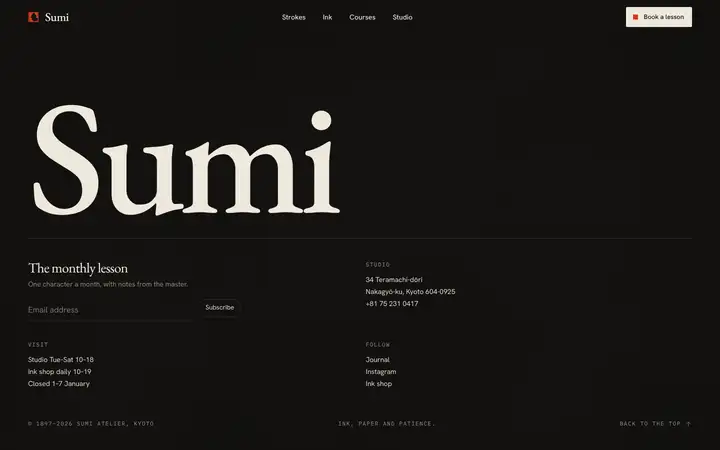
Entered by the last drop (5.1). Padding `14svh var(--pad) 5svh`. The brand word fitted to the width with a maximum of 36 % of the viewport height (EB Garamond 500, `--night-text`), a hairline under it; then a 12-column row: the monthly lesson form over 4 columns (an underlined email field and a `Subscribe` pill; on submit the thanks line), and three columns of 2 (Studio, Visit, Follow) starting at column 7; then the legal line, the motto and `Back to the top` (lenis to 0) in label style.
## 6. Motion
One clock drives everything: a single `gsap.ticker` callback runs lenis (`autoRaf: false`, lerp 0.12, `anchors: true`, its scroll event calls `ScrollTrigger.update`), queues the pointer brush, runs the choreography (`choreo.update()`, which reads `getBoundingClientRect()` of the placeholders), then calls R3F `advance(time * 1000)`. `dt = clamp(deltaMs / 1000, 0.001, 0.05)`. Nothing that changes with time or scroll uses a CSS transition or keyframe: CSS transitions are for hover states only.
**Intro (finished at 2.95 s; the frame at 3.2 s is the poster).**
- 0.20 s: navigation items drop in from -14px with opacity (0.8 s brush, stagger 0.05).
- 0.30 s to 2.47 s: the character is written (5.1): segment i starts at `SEG_START[i]` (0.30, 0.60, 0.83, 1.14, 1.34, 1.50, 1.88, 2.13 s; 0.03 s between segments of one stroke, 0.10 s between strokes) and lasts `SEG_TIME[i]` (0.20, 0.20, 0.28, 0.10, 0.13, 0.28, 0.15, 0.34 s), eased in-out; the counter shows the strokes finished.
- 0.45 s: the two headline lines rise from `yPercent` 112 behind their masks (1.1 s brush, stagger 0.12).
- 1.00 s: kicker, sub, buttons, counter, address column and hint rise 18px with opacity (0.9 s brush, stagger 0.08).
- 1.15 s to 2.35 s: the wash crosses the word and the letters drink it (5.1).
- 2.50 s: the seal stamps: from scale 1.35, rotate -6°, opacity 0 to rest (0.45 s, `back.out(2.2)`).
**Choreographed scroll moments** (p = progress of a pin, 0 to 1):
1. *The character travels* (no pin): `travel = easeInOut(clamp((vh − strokesTop − 0.12vh) / 0.88vh))`; the character's square is the linear blend of `#kanji-hero` and `#kanji-study` by `travel` (both read live, so it lands exactly when the pin starts); the vermilion grid fades in with it.
2. *The eight strokes* (pin 1.75 screens, `start: "top top"`): p 0 to 0.05 every stroke fades from ink to the ghost (0.15); p 0.05 to 0.64 eight equal steps: in step k the stroke k re-writes in ink over its ghost during the first half of the step (eased in-out), the previous one returns to the ghost during the first 20 %, the vermilion circle draws round stroke k from 12 % to 62 % of the step (cubic out) and fades over its last 16 %, the panel and the ticks follow; p 0.64 to 0.69 the whole character returns to ink; p 0.70 the drop: ink blooms from the tail of the long fall, radius `12 + easeIn(p from 0.70 to 0.86)² × 1.35 × diagonal`; the chapter's copy fades in while `travel` goes from 0.7 to 1 and out over p 0.73 to 0.80; at p 0.80 statement one rises (reversed at 2.2× speed when you scroll back).
3. *The ink track* (pin 1.15 screens): p 0.03 to 0.58 the track translates by `−t × (scrollWidth − viewport width)`, the progress bar fills, the active ink is `round(t × 3)`; the stick turns half a turn per ink (eased with `1 − e^(−5 dt)`) and its body colour follows; p 0.60 to 0.72 the stick lifts and spins out (`spin = easeIn²`: up 2.4 units, +2.2 rad yaw, +0.6 rad roll) and disappears by p 0.74; the head, track, caption and bar fade over p 0.62 to 0.72; p 0.64 the drop of water: paper blooms from the foot of the stick with the same radius curve (p 0.64 to 0.84); at p 0.78 statement two rises; from p 0.84 the ink region is switched off (all paper).
4. *The ensō and the quote* (no pin): the ensō draws with `easeInOut((vh − top − 0.02vh) / (0.43vh + 0.5 h))`; the quote's words go from 0.2 to 1 opacity one after another over `(vh − top)` from 0.25vh to `0.62vh + h`.
5. *The last drop*: the footer is ink below its own top edge, and a bloom centred on its top edge grows with `easeIn²((vh − top) / 0.7vh) × 0.8 × 1.35 × diagonal`.
Entrances of ordinary blocks (`data-reveal`): lines rise behind masks from `yPercent` 110 (SplitText `type: "lines", mask: "lines"`, 1.1 s brush, stagger 0.09) or blocks rise 24px with opacity (0.9 s brush), once, when their top passes 86 % of the viewport.
**Reduced motion** (`prefers-reduced-motion: reduce`): no lenis, no pins, no intro, no fluid step and no pointer ink. The character is drawn whole on the first screen (and as a flat canvas in the strokes chapter), the word is plain ink text, the eight principles are listed one under the other, the four inks wrap in a grid, both statements are ordinary blocks, the ink sections are plain regions without blooms, the ensō is drawn whole and the quote is fully black. The canvas is redrawn only when the scroll or the size changes.
## 7. Responsive behaviour
- Breakpoint 820px. Above it, the layouts of section 5; below it, the phone layouts given in each sub-section (single column, the character on top in the hero and the strokes chapter, the stick top-right in the ink chapter, the course rows in three columns).
- The fluid grids follow the aspect of the screen (112 and 320 cells on the short side), so the ink is as fine in portrait as in landscape. The bloom radius is scaled by the screen diagonal.
- Pins work the same on a phone (100svh panels). Touch does not paint (it would fight the scroll); a tap on a stroke of the character still studies it.
- The giant words are fitted with `useFitText`, so brand names from 3 to 24 characters keep their line. 360px to 1440px wide, portrait or landscape: no horizontal scroll (`overflow-x: clip` on `html` and `body`).
## 8. Accessibility and performance
- Real headings in order (`h1` the headline, `h2` per chapter, `h3` principles and inks), landmarks (`header`, `nav`, `main`, `footer`), `aria-label` on each section. The canvas and every decorative canvas are `aria-hidden`; the map canvas has `role="img"` and a label. The giant hero word is `aria-hidden` (the brand is in the navigation). The principle panel is `aria-live="polite"`; the ticks are labelled buttons; the course rows are buttons in a list; chips use `aria-pressed`. Focus ring 2px vermilion, offset 4px. Text contrast at least 4.5:1 (on ink use `--night-text`; `--night-muted` only for labels).
- `dpr={[1, 1.75]}`, `antialias: false` (the composite needs none), one WebGL canvas for the page, `frameloop="never"`, nothing drawn while the tab is hidden; with reduced motion only on change.
- Per frame about 25 draw calls (the fluid passes, the stain, the composite, and the stick only while its chapter is on screen) and under 10k triangles; never more than 150 draw calls and 300k triangles. Fluid grids 112 / 320 cells; 14 pressure iterations; the composite has no per-pixel fractal noise (every noise is baked into the paper canvas) and at most one value-noise call per active bloom. No post-processing.
- DOM animation on `transform` and `opacity` only; the scroll animates only `--nav-fg` and `--nav-bg`. No `filter: blur()`, no `backdrop-filter`.
- No WebGL: the page keeps its full layout; the character is drawn flat from the same brush paths into a 2D canvas in both placeholders, the word is plain ink text, the ink sections and the footer get a CSS `--night` background, the stick is a CSS block (gradient body, gold inset line), the ensō a flat canvas. Nothing is ever a blank area.
- Total length at most 10 screens on desktop.
## 9. Copy deck
Every string of the page. `[BRAND] :: Sumi` is the only brand token: the navigation, the giant word of the first screen, the footer word and the aria labels use it. Em dashes and middots are part of the copy.
- Title: `[BRAND] — Calligraphy school & ink works, Kyoto`
- Navigation: `[BRAND]` · `Strokes` · `Ink` · `Courses` · `Studio` · button `Book a lesson` (with `· n` appended when n inks are in the order)
- Hero kicker: `Calligraphy school & ink works · Kyoto, since 1897`
- Hero headline: `Ink remembers` / `every hand.` (second line italic)
- Hero sub: `Five generations have pressed ink and taught the brush on Teramachi Street. Saturday lessons in the studio, and lessons by post anywhere, corrected in red.`
- Hero buttons: `Book a first lesson` · `Study the eight strokes`
- Hero counter: `0n / 08` · caption `Ei, eternity: the one character that holds all eight strokes.`
- Hero signature column: `Teramachi-dōri 34 · Kyoto` · hint `Move to brush the ink · scroll to study`
- Giant word: `[BRAND]`
- Strokes kicker: `01 — The eight principles` · title `Eight strokes` / `hold every character.` · intro `Every student starts with one character, ei. Its five movements carry the eight strokes that all other characters are built from.`
- Principles (name · gloss · text):
1. `Soku` · `the dot` · `Press, pause, lift. A falling stone, not a smudge: the weight gathers low and to the right.`
2. `Roku` · `the horizontal` · `A rein held on a horse. It rises a little to the right and is checked at both ends.`
3. `Do` · `the vertical` · `A bow drawn tight. Never quite straight: a vertical with no tension falls over.`
4. `Teki` · `the hook` · `Gather the force at the foot, then kick up and out, the way a bird leaves a branch.`
5. `Saku` · `the rising stroke` · `A whip, short and quick. The brush leaves the paper while it is still moving.`
6. `Ryaku` · `the long sweep` · `A comb drawn through hair. It thins as it falls away to the left.`
7. `Taku` · `the peck` · `A bird pecking at grain. Short, sharp, and finished before you think about it.`
8. `Taku` · `the long fall` · `It swells as it falls, rests, then leaves flat along the paper like a wave on sand.`
- Principle counter `0n / 08`; tick labels `01` … `08`; ticks group label `Touch a stroke on the character to study it`; pointer tag `0n · Name, gloss`
- Statement one: `Every line you will ever write` / `begins as soot, glue and water.` (second line italic)
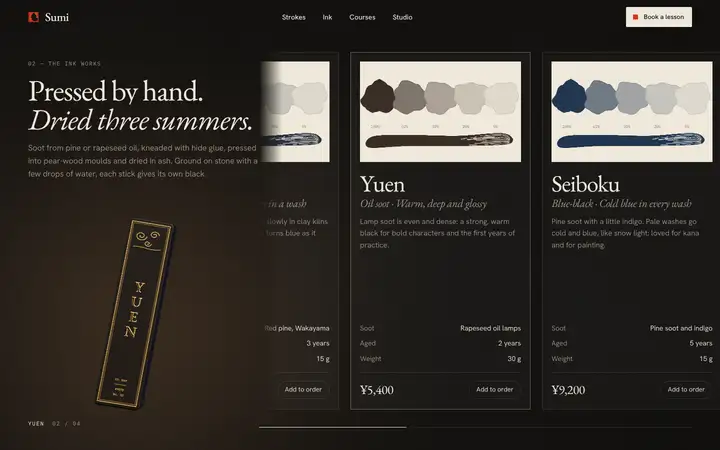
- Ink kicker: `02 — The ink works` · title `Pressed by hand.` / `Dried three summers.` · text `Soot from pine or rapeseed oil, kneaded with hide glue, pressed into pear-wood moulds and dried in ash. Ground on stone with a few drops of water, each stick gives its own black.`
- Inks (name · gloss · tone · soot · aged · weight · price):
1. `Shōen` · `Pine soot` · `Cool, blue-grey in a wash` · `Red pine, Wakayama` · `3 years` · `15 g` · `¥6,800`
2. `Yuen` · `Oil soot` · `Warm, deep and glossy` · `Rapeseed oil lamps` · `2 years` · `30 g` · `¥5,400`
3. `Seiboku` · `Blue-black` · `Cold blue in every wash` · `Pine soot and indigo` · `5 years` · `15 g` · `¥9,200`
4. `Chaboku` · `Tea ink` · `Brown, like old paper` · `Oil soot, roasted tea` · `3 years` · `15 g` · `¥7,600`
- Ink spec labels `Soot` · `Aged` · `Weight`; buttons `Add to order` / `In your order`; stick caption `Shōen` `01 / 04`; swatch labels `100%` `62%` `38%` `20%` `9%`; stick face `KYOTO` `No. 0n` and the gloss in capitals
- Statement two: `Then it needs a hand.` / `Yours, on Saturday.` (second line italic)
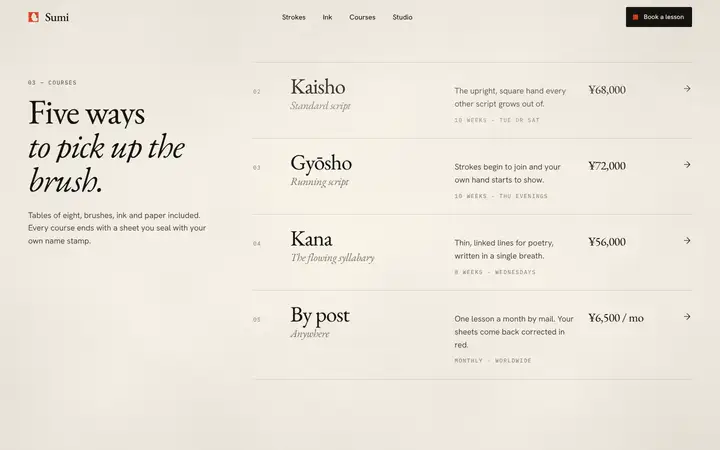
- Courses kicker `03 — Courses` · title `Five ways` / `to pick up the brush.` · intro `Tables of eight, brushes, ink and paper included. Every course ends with a sheet you seal with your own name stamp.`
- Courses (name · gloss · text · meta · price):
1. `First Stroke` · `Beginners` · `Posture, holding the brush, grinding ink, and your first ei.` · `4 Saturdays · 10:00–12:30` · `¥24,000`
2. `Kaisho` · `Standard script` · `The upright, square hand every other script grows out of.` · `10 weeks · Tue or Sat` · `¥68,000`
3. `Gyōsho` · `Running script` · `Strokes begin to join and your own hand starts to show.` · `10 weeks · Thu evenings` · `¥72,000`
4. `Kana` · `The flowing syllabary` · `Thin, linked lines for poetry, written in a single breath.` · `8 weeks · Wednesdays` · `¥56,000`
5. `By post` · `Anywhere` · `One lesson a month by mail. Your sheets come back corrected in red.` · `Monthly · Worldwide` · `¥6,500 / mo`
- Teacher kicker `04 — The teacher` · quote `Write it a thousand times. The thousand-and-first is yours.` · inside the ensō `Kōun Tanaka` / `Fourth master of the house` · text `Corrections are made in shuzumi, vermilion ink, as they always have been: a circle around what is alive, a line through what is not.`
- Stats: `5` generations · `129` years on Teramachi · `11,400` students · `8` to a table
- Visit kicker `05 — Visit & book` · title `A seat at` / `the long table.` · address `[BRAND] Atelier` / `34 Teramachi-dōri, Nakagyō-ku` / `Kyoto 604-0925` · `Eight minutes on foot from Kyoto Shiyakusho-mae station.` · hours `Studio` `Tue–Sat, 10:00–18:00` · `Ink shop` `Daily, 10:00–19:00` · `Closed` `1–7 January`
- Map labels: `KARASUMA` `RYŌGAEMACHI` `SAKAIMACHI` `TOMINOKŌJI` `FUYACHŌ` `TERAMACHI` `KAWARAMACHI` · `MARUTAMACHI` `TAKEYAMACHI` `EBISUGAWA` `NIJŌ` `OIKE` `SANJŌ` `SHIJŌ` · `SHIYAKUSHO-MAE` · `[BRAND] ATELIER`; map aria label `Map of the streets around the studio, between Oike and Nijō on Teramachi`
- Form: `Course` (chips = the five course names) · `A Saturday` (`5 Dec` `12 Dec` `19 Dec` `9 Jan`) · `Your name` (placeholder `Hana Ito`) · `Email` (placeholder `hana@example.com`) · button `Reserve a seat` · note `Nothing is charged now. We confirm by email within a day.` · error `Please add your name and an email.` · done `Your seat is held.` / `{Course}, Saturday {date}, 10:00. Bring nothing but your hands.` · `Book another seat`
- Footer: `The monthly lesson` · `One character a month, with notes from the master.` · placeholder `Email address` · `Subscribe` · thanks `Thank you. The next lesson arrives on the first.` · `Studio`: `34 Teramachi-dōri` / `Nakagyō-ku, Kyoto 604-0925` / `+81 75 231 0417` · `Visit`: `Studio Tue–Sat 10–18` / `Ink shop daily 10–19` / `Closed 1–7 January` · `Follow`: `Journal` `Instagram` `Ink shop` · giant `[BRAND]` · `© 1897–2026 [BRAND] Atelier, Kyoto` · `Ink, paper and patience.` · `Back to the top`
## 10. Acceptance checklist
- [ ] The first screen at 3 s: warm washi with visible fibres; the character 永 on the right, written in the right stroke order (dot; horizontal, vertical, hook; rising stroke, long sweep; peck; long fall) with dry-brush streaks at the ends of the hook, the sweep, the peck and the fall, and grey wet ink bled around its strokes; the giant brand word in black at the bottom left; the headline, sub and buttons at the top left; the counter at `08 / 08`; the seal stamped under the address column.
- [ ] Nothing in the character comes from a font: it is drawn from the brush paths; no CJK glyph in the DOM.
- [ ] Moving the mouse lays a pale grey trail that curls, bleeds and fades in about 5 s; crossing the character drags its strokes with the flow and they settle back; hovering a stroke shows its name and softens the others; clicking it scrolls to that principle.
- [ ] The brand word appears only where the intro wash passed (from left to right between 1.15 s and 2.35 s), and again when the brand name changes; names of 3 to 24 characters stay on one line.
- [ ] Scrolling carries the character onto the vermilion practice grid; the chapter's copy appears only as it lands.
- [ ] The eight steps: each stroke re-writes in black over a pale ghost with a vermilion circle drawn round it; the panel name lifts out and the next rises; the ticks fill; clicking a tick jumps to its step.
- [ ] After the eighth step the whole character returns, then ink blooms from the tail of the long fall with a ragged fibrous front and a grey wet halo, covers the screen, and the white statement rises on black while the swallowed character still glints.
- [ ] The ink chapter: the gold-leaf stick is lit (clearcoat highlight, metallic letters), stands in a warm pool of lamp light, turns half a turn for each ink while the track slides, leans to the pointer; then lifts and spins out as a water bloom returns the paper with a tide line, and statement two rises in ink.
- [ ] Courses: the heading stays while the rows pass; hover slides the name, unrolls a dry brush underline, turns the arrow vermilion; a click chooses the course in the form.
- [ ] The ensō draws itself as it enters and the quote fills word by word.
- [ ] The map is drawn in code (streets, river, station, seal on the studio); the form validates and confirms locally with the seal.
- [ ] The footer is entered by ink rising from its top edge; the brand word sits on ink in paper white.
- [ ] No copy ever passes under the navigation; the navigation turns paper-on-ink exactly while it is over ink. No colour ever cross-fades through a muddy middle: every theme change is a bloom front.
- [ ] One WebGL canvas, `dpr` at most 1.75, about 25 draw calls per frame and far under 150; under 300k triangles; no post-processing; nothing drawn while the tab is hidden.
- [ ] No network request at run time (fonts local or from `next/font`), no image, model, HDRI or texture file; no `preset` on `Environment`, no `useGLTF`, no `useTexture`.
- [ ] Reduced motion: no pins, no intro, no fluid; the whole character, the plain word, the eight principles listed, the inks in a grid, both statements readable.
- [ ] Without WebGL: flat canvas character in both places, the word in ink, ink sections on `#12110F`, a CSS stick, a flat ensō; nothing blank.
- [ ] 360px to 1440px wide, portrait and landscape, no horizontal scroll; about 9.8 screens long on desktop; `npm run build` passes with no type error.